Understanding Objects in JavaScript
A beginner-friendly guide to one of JavaScript's most powerful features

When you start learning JavaScript, one of the most important concepts you will encounter is Objects. Objects allow us to store related information together in a structured way.
In this article, we will understand what objects are, why we use them, and how to work with them in JavaScript.
What are Objects - and why do we need them
An object is a collection of related data stored as key-value pairs.
Think of an object as a real-world entity.
For example, a person has a name, an age and a city. Now we can store them as:
let person = "Priya";
let age = 28;
let city = "Mumbai";
Now this works but likely to be messy very quickly. What we have 30 people? We need to create 90 variables, all loosely related with no clear connection. That is exactly where objects come in.
An object is a single container that groups related data together under one name. It stores the information in key-value pairs - where each key is a label, and the value is the data attached to that label.
Think of an object like a contact card in your phone. The card has fields(keys) like Name, Phone and City. Each field stores a specific piece of information (value). Everything about that person is grouped in one place.
Creating Objects
The most common way to create an object is using curly braces {}. This is called an object literal.
let person = {
  name: "Priya",
  age: 28,
  city: "Mumbai"
};
Here:
'person' is the name of the variable holding our object.
'name', 'age' and 'city' are the keys (also called as properties).
'Priya', 28, 'Mumbai' are the corresponding values.
Objects vs Arrays — What's the Difference?
A common beginner question: when do I use an array, and when do I use an object?
| Array [ ] | Object { } |
Stores | Ordered list of values | Named key-value pairs |
Access by | Index number (0, 1, 2…) | Key name (name, age…) |
Best for | Lists of similar items | Describing one entity |
Example | ["Priya", "Arjun", "Kiran"] | { name: "Priya", age: 28 } |
Accessing Properties
Once you have an object, you need to read its values. JavaScript gives you two ways to do this.
Dot Notation
The simplest and most common approach:
console.log(person.name);  // "Priya"
console.log(person.age);   // 28
console.log(person.city);  // "Mumbai"
Bracket Notation
You can also use square brackets with the key as a string:
console.log(person["name"]);  // "Priya"
console.log(person["age"]);   // 28
Bracket notation is especially useful when the key is stored in a variable:
let key = "city";
console.log(person[key]);  // "Mumbai"
Which one should you use?
Use dot notation whenever possible — it is shorter and easier to read. Use bracket notation when the key name has spaces, special characters, or when the key is stored dynamically in a variable.
Updating Object Properties
Objects are mutable — you can change their values at any time using either dot or bracket notation.
let person = {
  name: "Priya",
  age: 28,
  city: "Mumbai"
};

// Update using dot notation
person.age = 29;

// Update using bracket notation
person["city"] = "Delhi";

console.log(person);
// { name: "Priya", age: 29, city: "Delhi" }
Adding and Deleting Properties
Adding a New Property: You can add a new key to an existing object simply by assigning it:
person.email = "priya@example.com";

console.log(person.email);  // "priya@example.com"
Deleting a Property: Use the delete keyword to remove a property from an object:
delete person.email;

console.log(person.email);  // undefined
Note:
After deletion, accessing the removed key returns undefined.
The delete keyword only works on object properties — not variables
Looping Through Object Keys
To iterate over all the properties in an object, use a for...in loop:
let person = {
  name: "Priya",
  age: 28,
  city: "Mumbai"
};

for (let key in person) {
  console.log(key + ": " + person[key]);
}

// Output:
// name: Priya
// age: 28
// city: Mumbai
In each iteration, key holds the property name (a string), and person[key] retrieves the corresponding value. Notice that bracket notation is required here since key is a variable.
Practice Assignment
Task: Build a Student Object
Instructions
1.  Create an object called student with at least three properties: name, age, and course.
2.  Update the age property to a new value.
3.  Add a new property called grade.
4.  Use a for...in loop to print all keys and values.
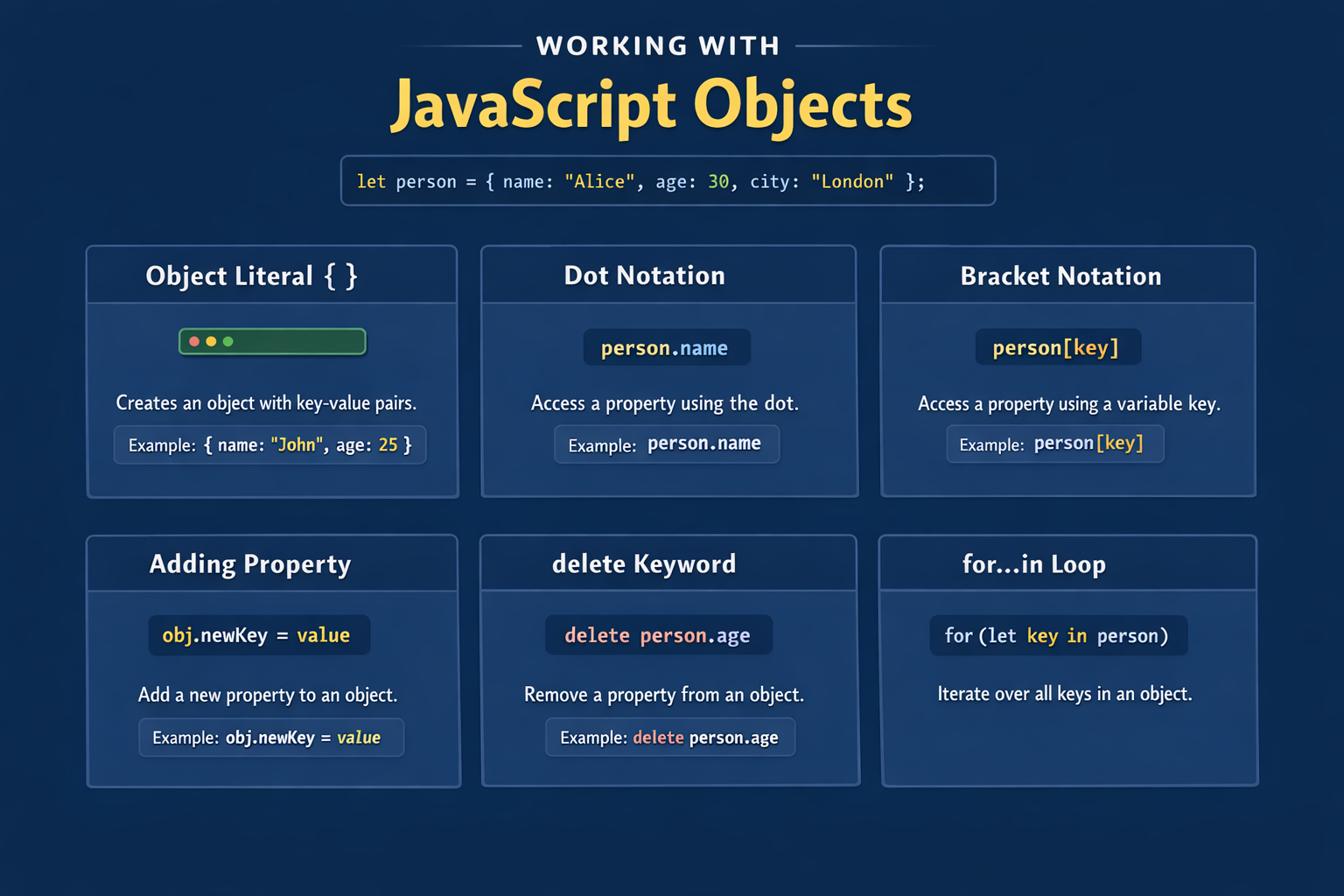
Quick Summary
Concept | What It Does |
Object literal { } | Creates an object with key-value pairs |
Dot notation | Access/update a property: person.name |
Bracket notation | Access with variable key: person[key] |
Adding property | Assign to new key: obj.newKey = value |
delete keyword | Removes a property from the object |
for...in loop | Iterates over all keys in an object |